All gift cards are automatically sent to the Meal Train page recipient email address.
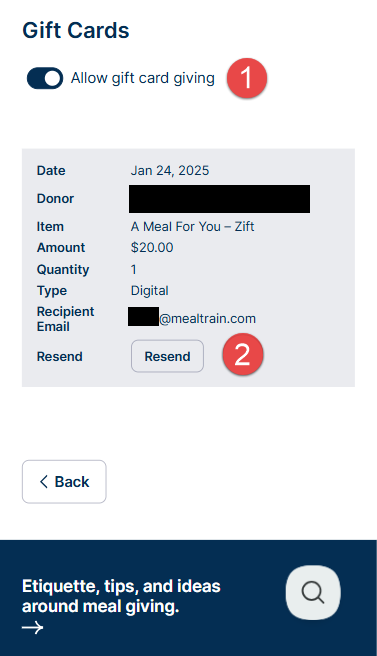
- Recipients and organizers can view the list of gifted cards on the Manage Gift Cards page. To do so, sign in as the recipient or organizer. Click Edit Page, then Manage Gift Cards. Click the Resend button to have gift cards resent (#2 in the image below).
- If the gift card was sent to the wrong email address, the giver will need to update the email. Please see this page for further instructions. MealTrain.com cannot change the recipient email address on the original gift card order.
- If a recipient cannot find a gift card, please check promotions, transactions, spam, and junk email folders for a message from The Gift Card Shop, delivery@orders.thegiftcardshop.com. The eGift card emails are sent by The Gift Card Shop, not Meal Train.
- If the organizer’s email address was used in place of the recipient’s, the organizer can forward the email from The Gift Card Shop to the recipient directly from their email inbox.
All U.S. gift card orders are processed and fulfilled by TheGiftCardShop.com / InComm. For more information please visit their support page or call 1-833-942-7467.